
Computer Facilities and Help
Simon Fraser University

Computer Facilities and Help

New to SFU? Please go to our web page "What Everyone Needs to Know about Computers & Computing at SFU"

Checklist for setting up a new computer - Mac PDF - or - PC PDF
 
 
Computer Accounts
All faculty, staff and students have an SFU Computing Account. You may activate your account online. An SFU Computing Account gives you access to e-mail, the web including web publishing facilities, library services at SFU and worldwide, the campus labs, home access to the Internet, file storage, and a wide variety of computational, statistical and other software. It will also give you access to the computing lab (B8245). For the photocopiers (and printing to them), ask the departmental receptionist for an account.
 
Help Available
If you need help receiving e-mail attachments, accessing your PC or Macintosh from home,putting classes or information on the web, or you are not sure but think your computer should be doing something more for you, please e-mail or see me (Dave Carmean, bio-computing@sfu.ca) or leave a message for me at 778-782-2030. I am available to anyone in our department for help with computing. My job is to answer your computing questions or point you in the direction of someone that can.
 
A great deal of general and SFU specific help is available from IT Services. See their How Do I website. Their phone number is 778-782-3230 (undergrads use 778-782-3930).
 
Computing Software Available
SFU has a variety of software available. The SFU Microcomputer store manages most of these licences. Microsoft Office is available to faculty and staff (including RA's and TA's) for free and students at a reduced price (students may check the Ultimate Steal. SAS, JMP, S-Plus and StarOffice are available free to SFU students, staff and faculty. Maple, SPSS and Systat are available free to SFU staff and faculty. The R Project for Statistical Computing is open-source and free to everyone. Citation software is available, but check out the free Firefox extension Zotero "to help you collect, manage, and cite your research sources" and Connotea, a free online reference management tool, which allows you to "Quickly save and organize links to your references... from any computer." Connotea is a supplement to programs like Endnote, while Zotero can be a supplement or replacement. The SFU library has several GIS software site licenses for academic purposes.
 
Anti-virus software is available for $15 (licence valid until Spring 2011). The free versions of AVG and Avast may be used on most home computers but not on SFU computers. I do not recommend anti-virus software for most Mac users as long as you do not work in an Admin account.
 
Computing Labs & Peripherals Available
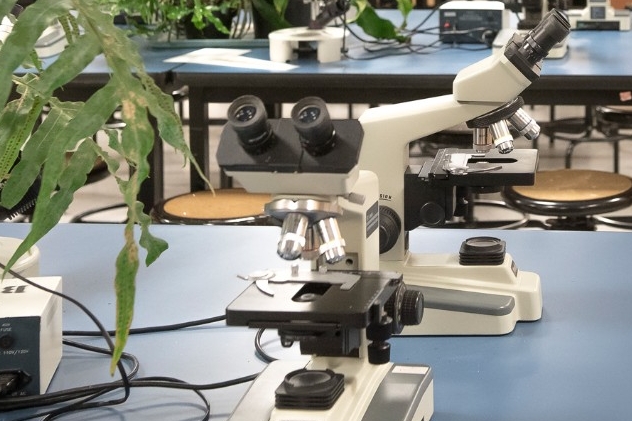
We have computers for general use in B8245 with Microsoft Office, statistics, and other software.  One has a full Adobe suite (Photoshop, GoLive, Acrobat Professional). We have Mac's with phylogenetic software (MacClade, PAUP). If you would like additional software installed please see me. Printing is charged to the supervisor's account. Other computing labs are distributed around campus.
We have two tablet PC's, a Macintosh Powerbook, a slide scanner, compact flash reader, an older Nikon digital camera, a 9" x 12" digitizing pad available for checkout from the office (the tablet PC's and laptop are mainly for teaching and usually stay on campus).
E-mail me if you need an account or after-hours access.
 
Where to Access File Space and Backup at SFU
SFU has directions here.  With a PC using Internet Explorer, click on ftp://sfuusername@fraser.sfu.ca and if you get the 'This page cannot be displayed' message click the refresh button and put in your user name (Firefox needs an extension called fireftp). On Mac's use Safari to click on afp://sfuusername@home.sfu.ca (if you don't use Safari copy the link and in the finder go apple-k to connect to server and paste the link in the dialog box). Note these are the same storage place, so you can also use this to transfer files. There is currently a GB limit. The department also has space available where people/labs can share and backup files- email me for more information.
 
Other Backup methods: online services, external hard drives, CD's, & email.
There are several online backup services- Xdrive allows filesharing, both pc and mac (mac does not have automated features) and 5GB free storage. Mozy is free (for academic/non-commercial use) with 2 Gigabytes storage (US$5/month for unlimited).
 
You can backup your files to a CD or an external hard drive but if you store it near your computer it will be affected by the same power surges and fire/water damage. SyncBack is a free and easy way to backup or synchronize PC files/computers/ ipods, etc. Also, you may e-mail yourself a copy of important files. Google Gmail is a great free email with lots of storage so it works great as a backup (I forward all of my email to it). Email me at bio-computing@sfu.ca if you want an account.
 
Calendars & Resource Scheduling